The new MS cloud-based platform for licensees to access and download the FIBO Data Model and educational materials.
This class shows how to log on to the FIB-DM SharePoint and provides an overview of the educational materials. We take FRO Bank as an example.
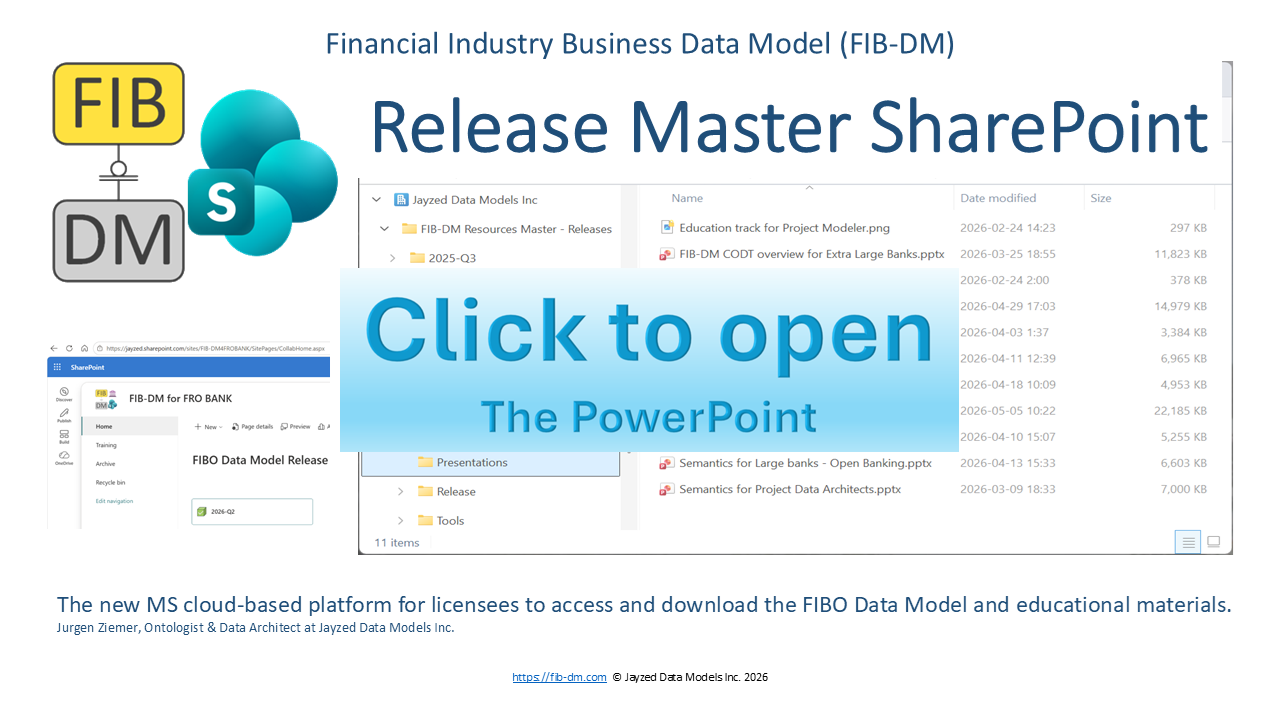
Download the FIB-DM SharePoint (PDF)
The text of the presentation
Financial Industry Business Data Model (FIB-DM)
Release Master SharePoint
The new MS cloud-based platform for licensees to access and download the FIBO Data Model and educational materials. Jurgen Ziemer, Ontologist & Data Architect at Jayzed Data Models Inc.
https://fib-dm.com © Jayzed Data Models Inc. 2026
About this education module
FIB-DM deliverable for commercial licensees contains 94 files:
The data model, PowerPoints, SVG diagrams, Excel reports, Tools, and PDFs (145 MB)
This is an overview of the new distribution channel and the licensed content for:
Current licensees with a maintenance (model updates) agreement
Licensees who are receiving their first FIBO Data Model
Financial Institutions that want to learn more about the FIB-DM deliverable
The open-source FIB-DM core version is on https://fib-dm.com/data-model-download/ – not on SharePoint.
F Finance key point 2
The challenge – IP security
International copyright laws protect FIB-DM, and U.S. Patent #12038939 covers products (i.e., data models) made with the Configurable Ontology to Data model Transformation (CODT).
However, a small Vermont (USA) business cannot enforce its Intellectual Property (IP) rights globally.
Therefore, the full commercial data model and educational resources are locked up, with access limited to paid licensees.
The old email delivery process was cumbersome and inflexible, requiring secure download links and encrypted ZIP directories.
F Finance key point 3
The solution – Microsoft SharePoint
Users download the licensed assets at their convenience: individual files, zipped folders, or everything.
As before, 1-3 named employees at your Financial Institution, identified by their work email, have access.
However, Microsoft Online handles end-to-end access security. No more encrypted files, emailed links, or passwords.
The model and education materials are on the Microsoft cloud rather than hidden on the Jayzed Services website.
F Finance key point 4
The way – rollout and migration
The FIB-DM SharePoint is in production
New FIB-DM licensees use the FIB-DM SharePoint.
Licensees with maintenance will have access to their next model update, FIBO 2026-Q3.
This class shows how to log on to the FIB-DM SharePoint and provides an overview of the educational materials. We take FRO Bank as an example.
F Finance key point 5
The old email and ZIP file process
The designated FRO Bank “technical contact”, Erika, and her backup colleagues receive a secure email with 6 download links.
https://support.jayzed.com/fib-dm_cdm_2026_q1_e34cf826-f774-be1c-c01f-b29ef31f4359/ Note: The example link is for illustration only – not live.
Secure means the file name and location are obscured to prevent unauthorized users from finding and downloading assets on the Jayzed Support website.
The ZIP directories are encrypted. Erika, John, and Young-Hee receive a separate email with the password.
Unfortunately, Windows Explorer doesn’t prompt for a password to decrypt ZIP files. You can use 7-Zip or any other open-source or commercial archiving tool, like WinZip.
The security process is cumbersome. This is especially true for users with maintenance, who have to do it every 3 months.
Furthermore, Jayzed releases new educational materials independently of the quarterly schedule. There is no convenient way to distribute individual PowerPoint files.
Data Architect 6
SharePoint Access and Sign-in
Each licensed Financial Institution has a dedicated FIB-DM SharePoint. This ensures that Erika can only see John and Young-Hee – no other FIB-DM licensees. Likewise, the FRO Bank users remain confidential.
MS SharePoint (or Jayzed) sends Erika and her colleagues a message containing the site link: https://jayzed.sharepoint.com/sites/FIB-DM4FROBANK The site name is FIB-DM for FRO.
Microsoft 365 manages access to cloud and other resources through your user account email. There are 3 scenarios after you access the FIB-DM SharePoint (or any other cloud resource):
- Most likely: you are already logged in to your Microsoft Account, and the FIB-DM SharePoint page opens without further verification.
- Microsoft Online prompts you to log in.
a) Enter your work email and Microsoft password.
b) Unlikely: If your email is not a Microsoft account, Microsoft will email you a temporary logon code.
Data Architect 7
Your SharePoint homepage
The home page shows your latest licensed FIB-DM version. For FRO Bank, that is 2026-Q2.
The Archive page in the menu lists your earlier versions. (Only relevant for licensees with maintenance)
The Training page is a SharePoint Document Library where you can also upload files. For example, you can share your exercises from the Education course.
Click the green box to open the 2026-Q2 release folder.
Data Architect 8
FIB-DM Resources Master
We see the 2026-Q2 release folder with its 6 subfolders.
The SharePoint icon, name, and URL have changed.
Resources Master is shared among all FIB-DM licensees. (All 2026-Q2 users download the same files.) FRO Bank users have access to the licensed folders in the Releases Document Library.
John Smith FRO Bank Release Master (2026-Q2)
Let’s look at licensed resources!
Data Architect 9
Resources Master – Data Model
The Data Model folder only has one file: The PowerDesigner FIB-DM 2026-Q2 Conceptual Data Model (CDM).*
You can download individual files.
You only have read and download permissions on Resources Master. Sharing is limited to your two coworkers.
Or use the download button to download all files as a ZIP archive.
Most users click that button on the previous Release page to download everything.
- Pre-announcement: Sadly, SAP decided to sunset PowerDesigner instead of selling the product.
Starting in January with the 2026-Q4 release, FIB-DM will move to ERWin. In 2027, this folder will contain two files.
Data Architect 10
Education materials overview
Jayzed Data Models takes pride in the transparency of the FIB-DM offering.
4,000 users downloaded the open-source, 1000-entity FIB-DM core model derived from an older FIBO version. The quarterly Release Reports list all 3,000+ entities and 250 packages (subject areas) with their definitions.
The FIB-DM Training course is on YouTube, and its presentations are available as PDFs on the website.
The FIB-DM SharePoint provides the original MS Office files.
Your Intellectual Property License Agreement (IPLA) lifts the Jayzed website’s Terms of Use restrictions.
You are encouraged to customize the Education Materials for internal use, including reusing text and images as long as they remain within your organization.
Please do not share FIB-DM SharePoint files with 3rd parties.
Data Architect 11
Articles (whitepapers)
The articles are a deep dive into the FIB-DM structure.
The first 3 articles explain considerations and design decisions for transforming the Financial Industry Business Ontology into a data model.
The 15 Fundamental Concepts article supplements the Semantics for Finance Users class.
It also explains how the Object Management Group’s Commons Ontology Library has replaced fundamental concepts (= ultimate supertypes) in the open-source version.
The articles are available on the FIB-DM website. Menu: Resources→Articles. SharePoint is just a convenient way to download them all.
Data Architect 12
Diagrams
The folder contains 70+ data model diagrams.
Tip: If you open a file, SharePoint launches a viewer. It opens in MS Office Online or, in this case, the Scalable Vector Graphics (SVG) viewer.
The FIB-DM website has the diagrams.
Menu: Diagrams, or the widget on the homepage. SharePoint is a convenient way to download all diagrams.
Data Architect 13
Presentations
The nine PowerPoints in this folder are the class materials for the FIBO Data Model Training course.
The FIB-DM website provides MS Online views and PDF downloads. Menu: Resources→Presentations.
The commercial license includes the actual PowerPoint files.
You may annotate, customize, and even rebrand the presentations.
But please do not share the PowerPoints with 3rd parties.
Data Architect 14
Release Reports
The MS Excel workbooks are the Jayzed QA for the ontology-derived data model.
In particular, if you migrate FIB-DM to ERWin or other software, reproduce the report and compare it to the PowerDesigner version.
FIB-DM Normative, Packages, and Entities is the underlying MS Excel for the published PDF release reports.
The Release reports workbook is top secret because it includes tabs with the models’ inheritance (subtype hierarchy) and relationships.
Please do not share the Excel files with 3rd parties.
Data Architect 15
Tools – Navigator and Visio
The 20 Concepts MS Visio is for Data Architects and Ontologists who want to create their own FIBO/FIB-DM Concept Maps.
It provides the concept stencils (icons) for concept-relation diagrams and scoping concept maps.
Watch the video and study the Presentations to learn more:
FIB-DM Semantics for Finance Users and Scoping our first data model from FIB-DM
The FIB-DM Navigator video and PowerPoint explain this important productivity tool in detail.
The Navigator workbook is also top secret because it includes tabs with the models’ inheritance (subtype hierarchy) and relationships. Please do not share the Excel file with 3rd parties.
Data Architect 16
Summary and conclusion
The old email delivery process was cumbersome.
The new FIB-DM SharePoint provides a flexible and convenient way for licensees to review and download their deliverables.
We showed how to access the SharePoint and provided an overview of its content.
Links to training materials: https://fib-dm.com/
https://www.youtube.com/@FIBDM/courses
Data Architect 17