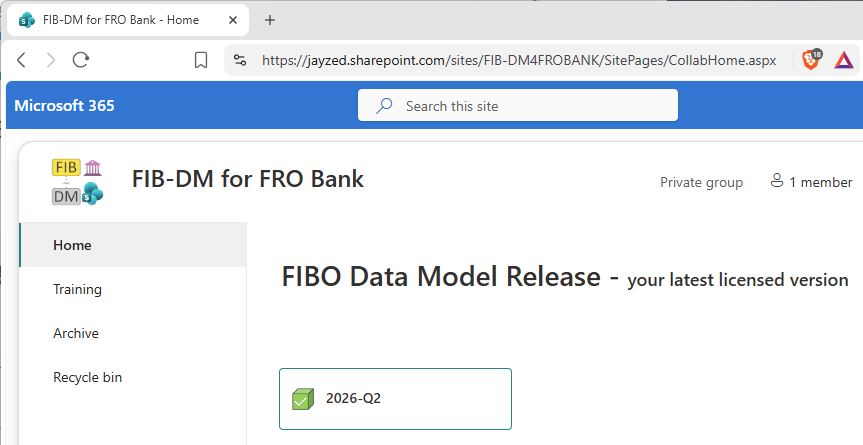
For each client, a dedicated SharePoint site serves as a front end for accessing the licensed version(s) of the FIBO Data Model and its resources.
Overview
The homepage shows your latest licensed FIB-DM version. For our example, FRO Bank, that is 2026-Q2.
The Archive page in the menu lists your earlier versions.
(Only relevant for licensees with maintenance)
The Training page is a SharePoint Document Library where you can also upload files. For example, you can share your exercises in the Training course.
Access and sign in
After the Intellectual Property License Agreement (IPLA) is fully executed, the designated FRO Bank “technical contact,” Erika, and her backup colleagues receive an email with a link to their new FIB-DM for the FRO Bank site.
Microsoft 365 manages access to cloud and other resources through your user account email.
There are 3 scenarios after you access the FIB-DM SharePoint (or any other cloud resource):
Most likely: you are already logged in to your Microsoft Account, and the FIB-DM SharePoint page opens without further verification.
If Microsoft Online prompts you to log in, enter your work email and Microsoft password.
If your email is not a Microsoft account, Microsoft will send you a temporary logon code.
Resources Master
The green box “2026-Q2” links to a second SharePoint.
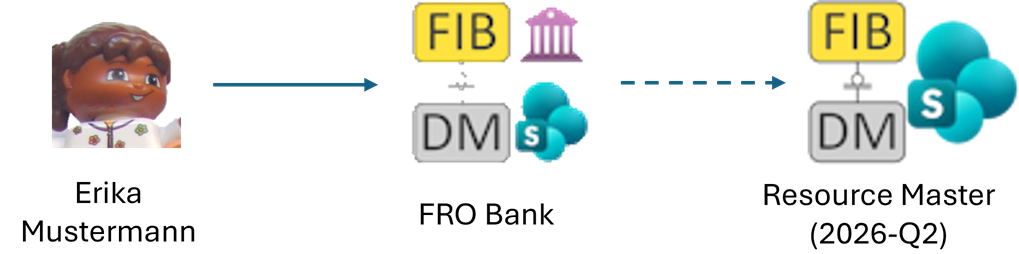
Resource Master holds the data model master files and education resources in a SharePoint Document Library, “Releases”. The files on Resource Master are the same for all Commercial licensees.
Erika and her colleagues have access to the 2026-Q2 library folder.
Continue reading about the Resource folders.